Skip to content

Nearpod

Teach your way with this comprehensive online teaching and learning platform.

Nearpod includes the interactive tools, resources and content teachers need, all in one place allowing you to gain real-time insights into student understanding through interactive lessons with built-in gamification, quizzes, polls, videos and other activities.

Nearpod is loved by thousands of teachers across the world with over 30 million lessons taught through the platform last year globally.

At a glance

Age ranges
Suitable for all ages

Book a Demo

Make an enquiry

Personalise support

Enrich or provide extra support to meet students where they are, from wherever they are learning, through three teaching modes: student-paced, live participation or front of class.

Create tailored lessons in just a few clicks and share them discreetly so that students receive the support they need without being singled out.

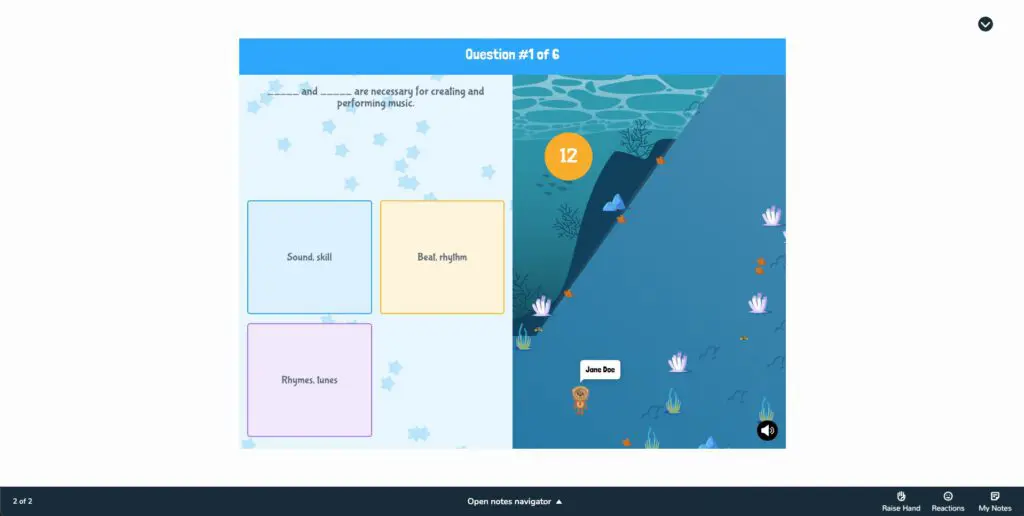
Screenshot from Nearpod showing a quiz question.

Data informed teaching

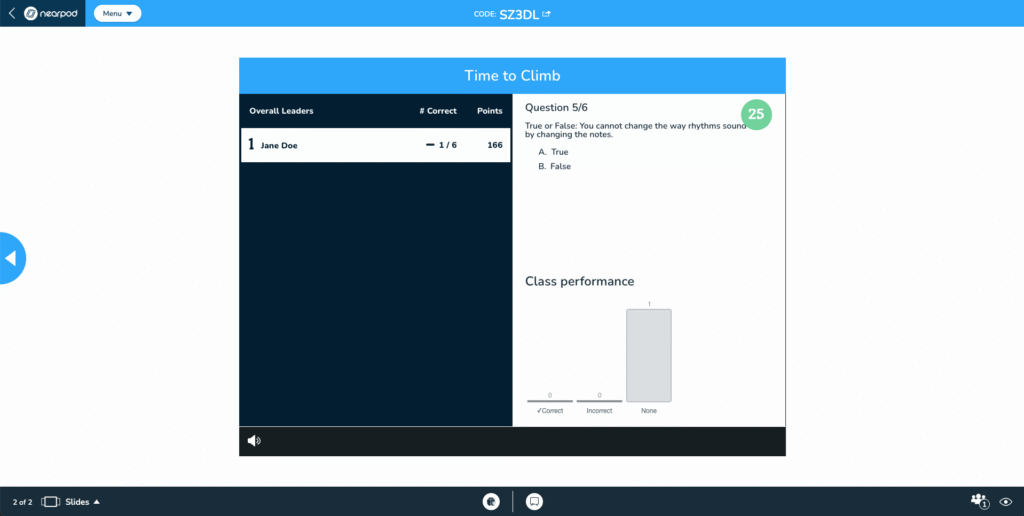
Real-time reporting allows you to gather data on student understanding so you can adapt lessons or address misconceptions in the moment. Post–session reports allow you to review students’ work.

Nearpod screenshot showing quiz question, and class performance chart.

Engage every learner

Our built-in Immersive Reader offers over 60 language translations to support EAL students, as well as allowing students to listen to the text through read aloud, adjust how text appears and access the picture dictionary.

Facilitate classroom discussions with perspectives from every student with collaborative boards, open-ended questions, polls and more. Turn on anonymous responses to encourage participation from those who may be reluctant to speak up.

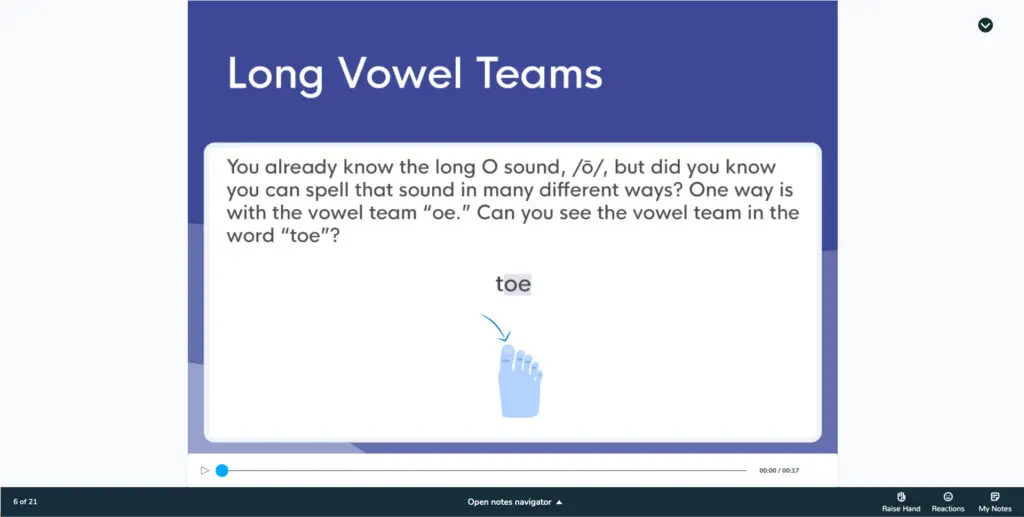
Screenshot from Nearpod showing example slide about long vowel teams.

From topic to teaching in seconds

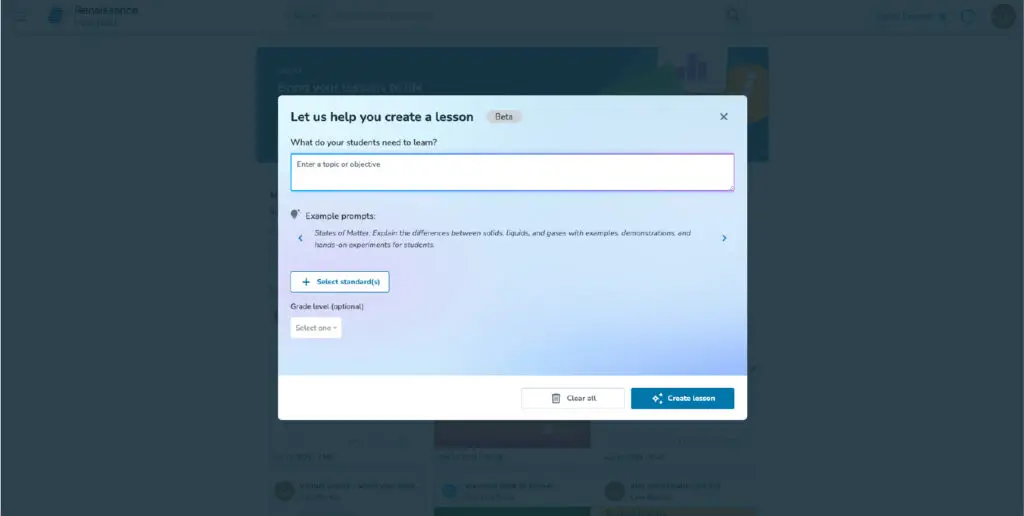
Use our AI Create Lesson Generator to instantly create interactive AI-generated lessons complete with Nearpod activities, formative assessments, and gamified experiences.

Generate multiple-choice questions perfect for warm-up activities, to check for understanding, and more with AI Create Question Generator.

A dialog box in Nearpod for creating a lesson, prompting the user to enter a topic or objective.

Connected with all the tools you are already using

Nearpod can be added to all your existing PowerPoints, Google Slides or other resources you love – no need to recreate them.

Assign and manage lessons in your learning management system and other platforms you are already using.

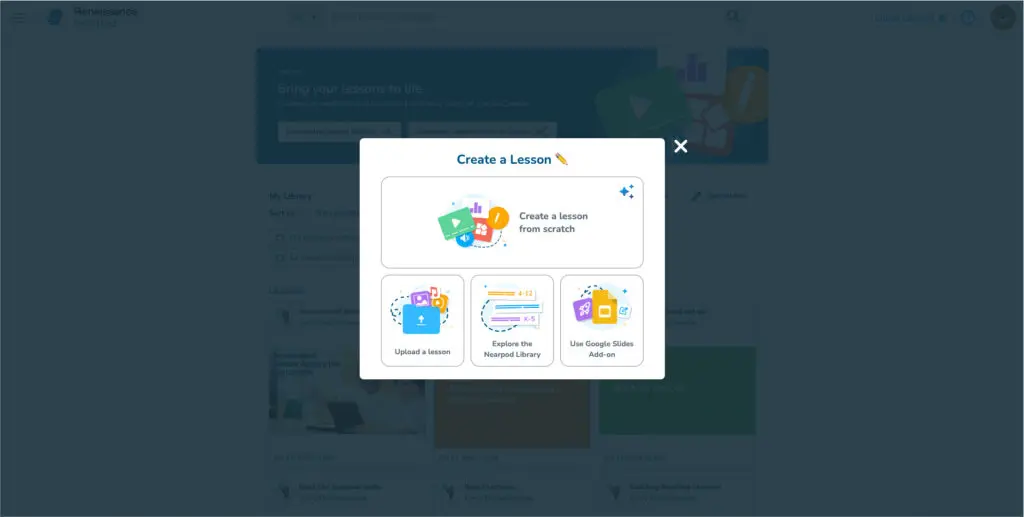
Screenshot of the Nearpod platform with a "Create a Lesson" modal window open, offering options for lesson creation.
  • Discover AI Create

FAQs

What activities are available through the platform?

Activities include:

  • Quizzes
  • Polls
  • Multiple choice
  • Drag and drop
  • Draw it
  • Open-ended question
  • Collaborate board
  • Matching pairs
  • Memory test
  • Fill in the blank

There also a range of maths manipulatives:

  • Base 10 blocks
  • Colour tiles
  • Fraction tiles
  • Algebra tiles

Is Nearpod compatible with my device?

Nearpod is compatible with PCs, laptops, tablets and even some gaming consoles. It can be accessed through any web browser when connected to the internet.

Do I have to rebuild my lessons in Nearpod?

No, you can upload any existing PowerPoint, Google slides or other resources straight into the platform and enhance them with Nearpod’s interactive tools.

What media can I add to my slides?

You can use:

  • Videos
  • Slideshows
  • Web content
  • Virtual reality field trips
  • 3D objects for zooming and rotating
  • Maths and science simulations
  • Sway
  • BBC video
  • Brain break videos

What is AI Create and how does it work?

AI Create includes Question Generator and Lesson Generator functionality:

  • Question Generator is available in all Nearpod licenses. Silver licenses can generate five free assessments. Gold, Platinum, and school and district licenses have full access to Question Generator.
  • Lesson Generator is exclusively available in school and district licenses.

Currently, Nearpod’s AI Create is powered by OpenAI’s GPT-4.o mini. Nearpod has developed a proprietary system of intermediary prompts, safety guards, evaluations, and validations to ensure the output is safe, relevant, appropriate, and tailored for the classroom. Nearpod’s AI does not use or collect any user data to train the model.

Generated content is 100% customizable and requires human interaction to be deployed to students, keeping the teacher at the center. AI Create requires teacher review and input at multiple points throughout the creation process. Educators can preview and edit the generated content prior to finalizing a lesson or multiple-choice formative assessment.
Book a Demo

Make an enquiry